
Dot Grid vs. Graph Paper vs. Lined Paper: Which Layout to Print
Dots, a full square grid, and horizontal rules structure a page differently. Compare what each layout is for, which spacings stay readable, and how to print them at the size you set.
Tip: Measure ten gaps on a test sheet. At 5mm they should total 50mm before you print the rest of the notebook.
How dots, squares, and rules sit on the page
A printable page is usually one of three layouts: a dot grid, graph paper, or lined paper. The marks look simple. They decide whether the sheet gives you points to align to, squares to count, or a baseline to write on.
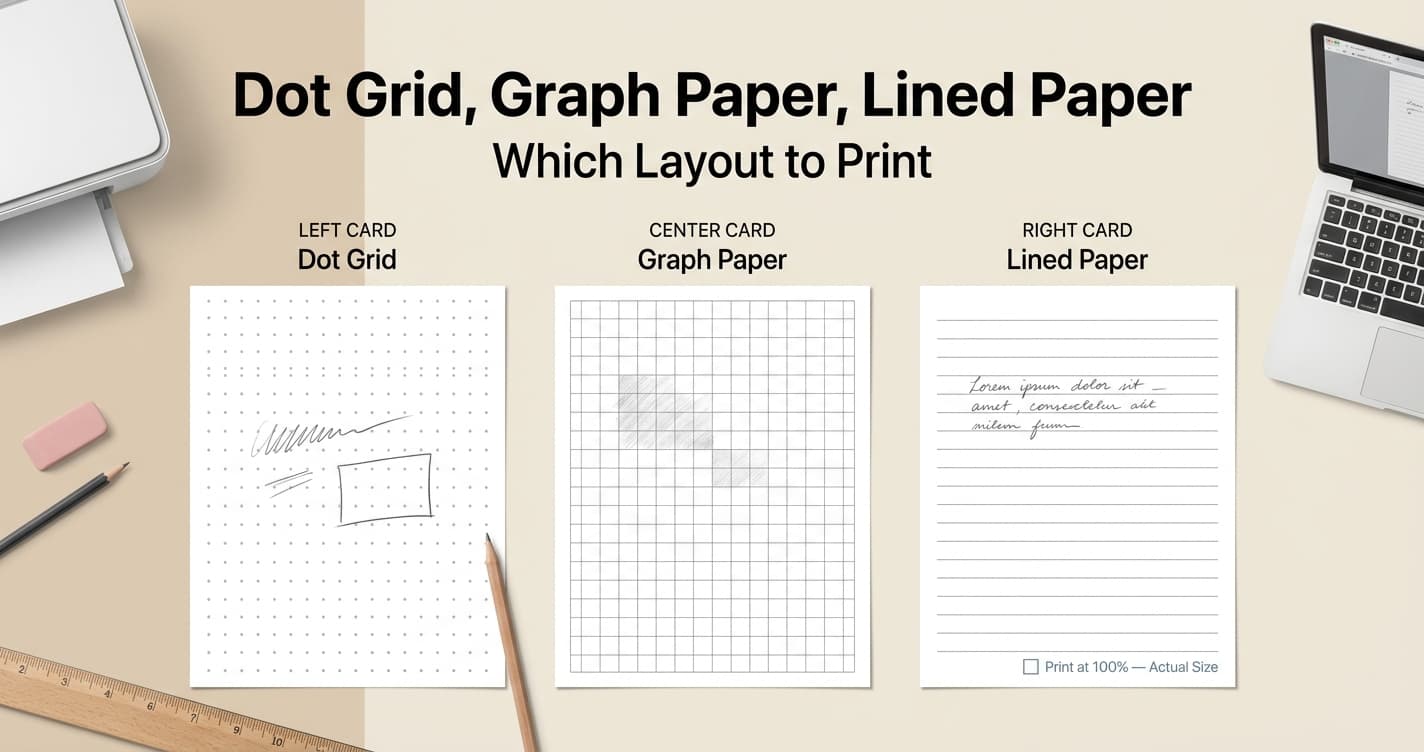
Dot grid paper places a small mark at each intersection and leaves the rest of the cell empty. You can draw a line or a box from dot to dot, and no printed stroke runs through the handwriting. Graph paper draws both the horizontal and the vertical lines, so each cell is a square you can count. Lined paper drops the vertical lines and keeps evenly spaced horizontal rules. That gap is a line height for writing, not a square.
When to print a dot grid
Dot grid paper suits a page that mixes handwriting with a short table, a box, or a small sketch. The dots are enough to keep a line level and a box close to square, and they stay lighter than a full grid.
It is a poor fit when a square has to stand for a measured unit. On a dot grid, a length is the space between marks, and anything that falls between two dots is an estimate. When the measurement has to be exact, print graph paper and count the squares.
When to print graph paper
Print graph paper when each square stands for something specific: one unit on an axis, one step on a scale drawing, or one cell in a chart. For general math and everyday notes, 5mm (about 0.2 inch) is the common square. Fine engineering detail uses about 1–2mm. Large-cell counting uses 10mm, which is easy to number by hand. A US quarter-inch square is exactly 6.35mm. Set the unit to inches when you want that 1/4 inch spacing rather than a rounded millimeter.
Those lines are what make the squares countable. They also cross the writing. A 5mm graph paper page is still a normal choice for structured notes and math homework. For a long passage of plain handwriting, the vertical lines are extra weight, and a dot grid or a ruled sheet stays quieter. A 1–2mm grid is a drafting surface, not a notes page.
When to print lined paper
Lined paper is the direct layout for longhand: lecture notes, a journal page, handwriting practice. The rules give every line the same baseline and add no vertical stroke you would only have to write through.
There is no vertical guide, so a table or a box has to be ruled by hand, usually with a ruler if the corners need to be square. In US notebooks the common gaps are College Ruled at roughly 7.1mm (9/32 inch), Wide Ruled at roughly 8.7mm (11/32 inch), and Narrow Ruled at exactly 6.35mm (1/4 inch). Those figures choose a line height. They do not choose between dots, squares, and rules.
Spacing that stays readable
The most widely used spacing for dot grid paper is 5mm between dot centers, about 0.2 inch, and that is the default in the tool. Use 4mm when the page needs to be denser. Use 6mm to 7mm when the handwriting is larger and the page should stay more open. That choice changes how much fits between the dots. It does not turn the dots into a measuring grid.
Graph paper starts from the same 5mm square for everyday work, then moves to 6.35mm for a quarter-inch cell or 10mm when the cells should be large. A 5mm dot grid and a 5mm square grid share a number. They do not share a job. Choose the layout first, then the spacing.
Printing at the spacing you set
Print at Actual Size or 100% scale, and turn off Fit to Page and Shrink to Fit. Either option scales every gap by the same percentage, and the sheet gives you no warning. A page reduced by 2% turns a 5mm gap into 4.9mm. The pattern still looks even. It no longer matches a 5mm notebook, or a ruler.
Print one test sheet before a full run. Measure ten gaps with a ruler. Ten gaps at 5mm should come to 50mm. If they do not, correct the scale before you print the rest. Keep the dots or lines a light gray, such as #CCCCCC, so pen or pencil stays darker than the printed marks.
One layout for the notebook
If a notebook is mostly one kind of work, print that layout at one spacing and keep it. Planning pages and math pages do not need to share a sheet. When you need the other layout, print it as its own stack of loose sheets. On a disc-bound or ring-bound notebook, leave at least 15mm of margin on the binding edge so the holes do not land on the dots or the lines.
If you are still deciding, print one sheet of each layout on the same paper size. Use 5mm for the dot grid and for the graph paper, and a ruled gap close to the handwriting you actually use. Write a few lines and draw one box on each sheet. The pen shows the difference more clearly than the preview on screen.
Print dot grid paper at a set spacing
Generate dot grid paper at 5mm or another spacing, choose the paper size, and download a PDF that prints at that size.
Open Dot Grid Tool