
Hex Grid Generator: Printable Hexagon Paper, Hex Maps & Numbered Grids (1–31)
Learn how a hex grid generator works, when to use pointy-top vs flat-top hex paper, how to size cells for RPG maps, and how numbered hexagonal grids (including 1–31 month layouts) fit real projects.
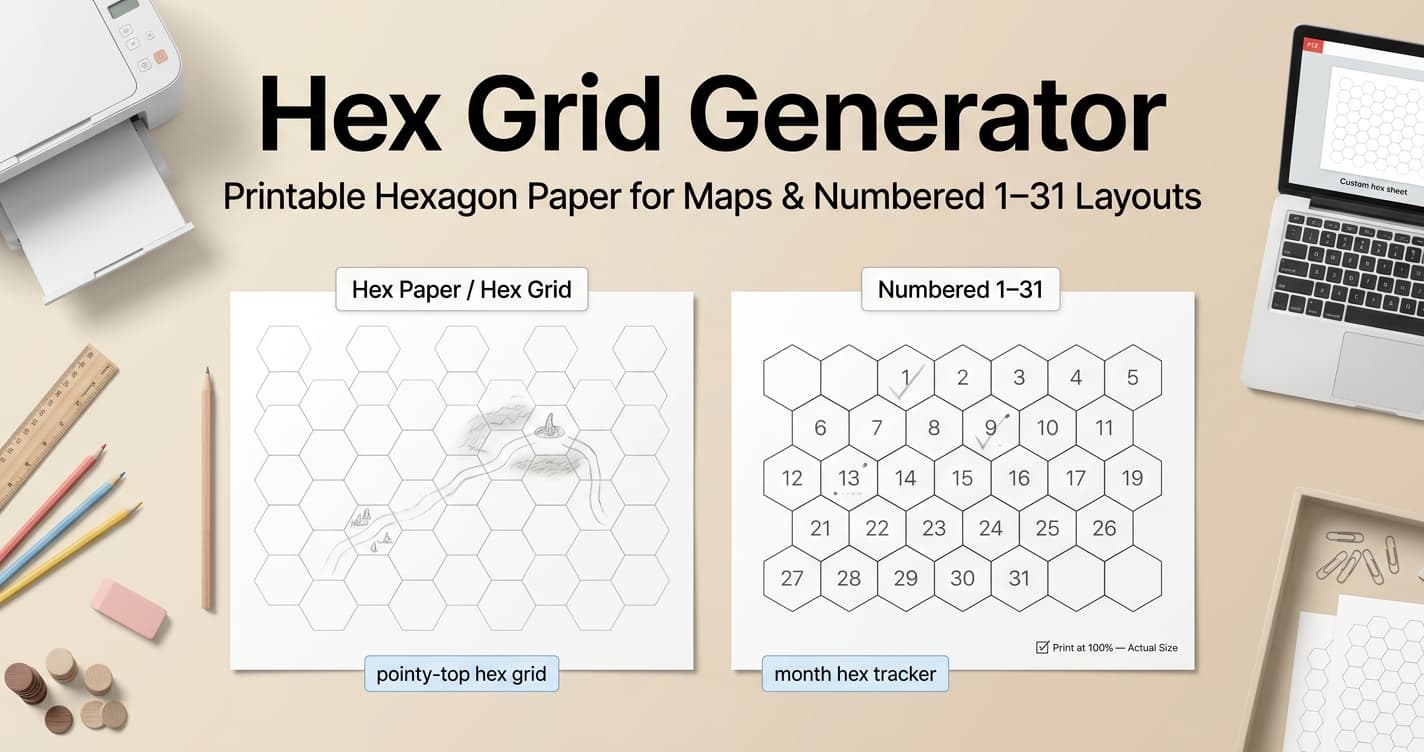
Tip: For a numbered 1–31 hex month tracker, open the Numbered Hexagonal Grid, set Number of hexagons to 31 and Start numbering from to 1, pick centered or 7-column rows, and drop hex size until the preview sits inside the margins.
What hex paper and a hex grid actually are
Hex paper (also called hexagonal graph paper or a hexagon grid) replaces square cells with a honeycomb of regular hexagons. Every interior cell has six equidistant neighbors, so movement and adjacency stay consistent in every direction — the reason tabletop RPGs, wargames, and many strategy maps prefer a hex grid over square graph paper.
A browser hex grid generator builds that pattern from controls you can change before download: hex radius, pointy-top or flat-top orientation, solid/dashed/dotted line style, line weight, line and background color, paper size (A4, A3, A5, or Letter), portrait or landscape, and page margins. You preview the honeycomb on screen, then export a print-ready PDF, PNG, or SVG instead of relying on a fixed pre-made sheet.
Beyond gaming, hex paper shows up in organic chemistry ring diagrams, honeycomb quilting and textile charts, and any planning task where equal-distance neighbors matter more than a simple row-and-column grid.
Pointy-top vs flat-top: which hex orientation to print
Hex grids come in two common orientations. Pointy-top hexes have vertices pointing up and down, so the cells stack in offset horizontal rows. Flat-top hexes have a flat edge on top, so the cells stack in offset vertical columns. Switching orientation does not change the hex radius you set — only how rows and columns stagger across the page.
On PrintableGrid’s hex tool the default orientation is pointy-top, which suits many dungeon crawls and maps that emphasize north–south corridors. Flat-top often feels more natural for wide landscape or overworld maps. Page layout defaults to landscape, which fits more hexes across a battle-mat style sheet; switch to portrait when you want a taller map or a journal insert.
If you are printing a multi-page campaign set, lock one orientation and the same hex size for every sheet so taped edges still align. Print a one-page test before a large run; half-hexes along the page edge look different in each mode, and that edge treatment is easier to judge on paper than on screen.
Hex size for RPG maps, diagrams, and worksheets
In this generator, Hex size is the radius from the center of a hex to a vertex. In a regular hexagon that radius equals the edge length, so one number controls the whole cell. The control ranges from 5mm to 50mm (or 0.2in to 2in), with a default of 10mm — dense enough for overview maps, open enough for many encounter sheets.
For 1-inch miniatures, switch the unit system to inches and set hex size to 0.5in (12.7mm) so the cell matches a common battle-mat scale exactly. Larger 28mm-scale figures often need about 15mm of radius so tokens do not crowd. Chemistry worksheets and small diagrams usually stay near the tight end of the range (around 5–8mm) so more rings fit on one A4 or Letter page. Use larger values (15–20mm+) when each hex must hold a label, token, or handwritten day number.
Line weight options run from 0.1mm (extra thin) through 0.8mm (thick). Keep 0.1–0.2mm when the hex grid sits under artwork or pencil notes; use a heavier stroke when the bare hex paper itself is the play surface. Solid lines are the default; dashed or dotted styles lighten the page further for overlays. A soft gray or light blue line color saves ink on long print runs without disappearing under normal room lighting.
Hexagonal grids numbered 1 to 31 (calendars & trackers)
Searches for a hexagonal grid numbered 1 to 31 usually point to month-style layouts: one cell per day of the longest months, used as a habit tracker, reading log, bullet-journal calendar, or attendance board. The same idea appears in game design when designers number hexes for reference during playtesting.
PrintableGrid’s hex generator still prints the empty honeycomb for maps. For digits inside the cells, open the Numbered Hexagonal Grid: set Number of hexagons to 31 and Start numbering from to 1, then choose centered, rows, or pyramid. The numbered editor defaults to 1–19 at 15 mm; drop hex size (often around 12 mm on A4) if the 31-cell cluster no longer fits the margins — the sheet does not scale cells down.
Centered packs a compact month cluster. Rows with seven columns reads like a calendar strip (four full weeks plus a short last row). Pyramid grows 1, 2, 3… and is a better fit when you want a triangle rather than a tracker. Reprint the same range each month instead of writing new digits on last month’s page.
RPG and wargame hex maps often use column/row codes rather than a simple 1–31 sequence. Print a clean hex grid at battle-mat scale on the empty hex tool, then add coordinate labels in the margins or on every nth hex so callers can refer to positions without numbering every cell.
Hex grid vs square graph paper (and related generators)
Square graph paper from a standard graph paper generator is still the right default for math plotting, pixel-style work, and anything that expects rows and columns at right angles. Choose a hexagon grid when equal-distance neighbors, fair diagonal movement, or honeycomb geometry matter more than Cartesian alignment.
If you need numbered X/Y axes for coursework or data plots, that is a different tool: a coordinate or Cartesian plane generator with an origin and labeled axes, not hex paper. Use hex paper for maps and tessellations; use a Cartesian plane when the assignment asks for quadrants, functions, or signed coordinates.
In short: hex grid generator and hex paper for honeycomb layouts; graph paper generator for square grids; Cartesian plane generator for axis-based math. Matching the generator to the job keeps both the printout and the search intent aligned.
How to print hex paper at the correct scale
Hex size only stays meaningful if the PDF prints at Actual Size (100%). Fit to Page or Shrink to Fit scales every hex by the same hidden percentage, which breaks miniature spacing and any plan that assumes a specific millimeter or inch radius.
Choose paper size and margins before you finalize hex size — A4, A3, A5, and Letter change how many full hexes fit between the edges, and margins (0–50mm, with optional centering) shrink the printable area further. After the first export, print one test sheet and measure a hex radius or edge with a ruler. If the measurement does not match the generator setting, fix the print scale before you print a stack of map pages or calendar sheets.
For reusable battle mats, print on heavier paper or cardstock and laminate. Matching hex size and orientation across sheets lets you tape pages into a larger campaign map without visible jumps in the honeycomb.
Generate printable hexagon grid paper
Print an empty honeycomb for maps: set hex radius (5–50mm), pointy-top or flat-top orientation, line style and weight, colors, and paper size, then export PDF, PNG, or SVG. This generator does not print cell numbers.
Open Hex Grid Generator